Quick Start Guide in 5 Minutes
Welcome to MaxSeller! This guide will walk you through setting up and operating your online or physical store in just 5 minutes.
⏱️ 4-Step Quick Launch Roadmap
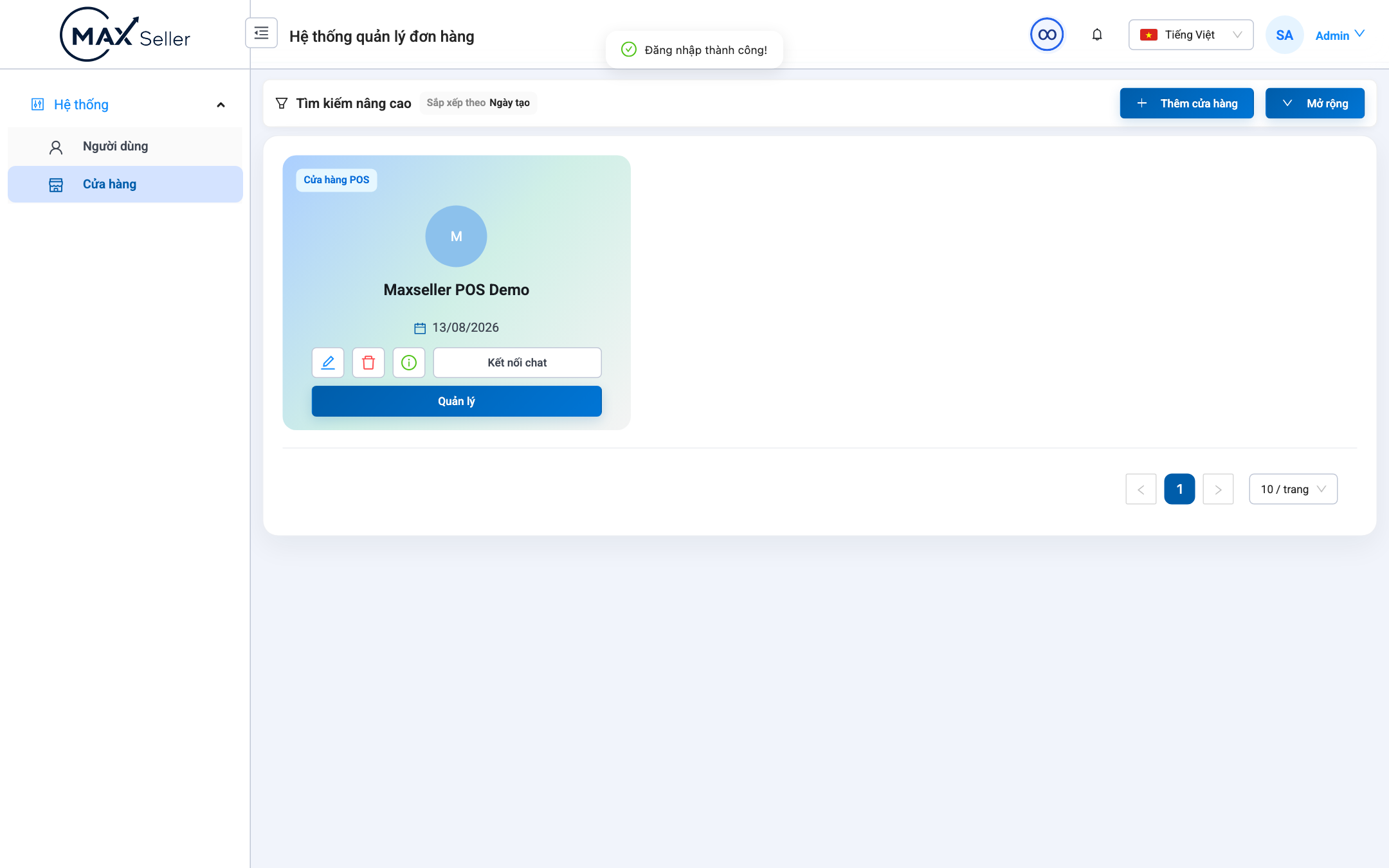
Step 1: Initialize Your Store & Permissions
- Sign in with your administrator account at
http://localhost:4200/login. - Go to Store Management ➔ Click + Add Store:
- Enter Store Name, address, hotline, and select
POS Store.
- Enter Store Name, address, hotline, and select
- Click Control (Manage) to access the store management dashboard.
Step 2: Create Products & Stock In
- Go to Sales ➔ Products ➔ Click + Add Product.
- Fill in SKU name, cost price, retail price, and variant sizes/colors.
- Go to Warehouse ➔ Stock In (Goods Receipt):
- Create a receipt to add initial inventory quantities.
Step 3: Connect Sales Channels
- Go to Sales Channels ➔ Connect your TikTok Shop, Shopee, or Facebook Fanpage.
- Link channel products with your MaxSeller SKUs to enable real-time inventory synchronization.
Step 4: Create Your First Order
- Go to Sales ➔ Orders ➔ Click + Create New Order.
- Select customer info, scan product barcode, choose logistics carrier, and click Save & Print Shipping Label.